Blog
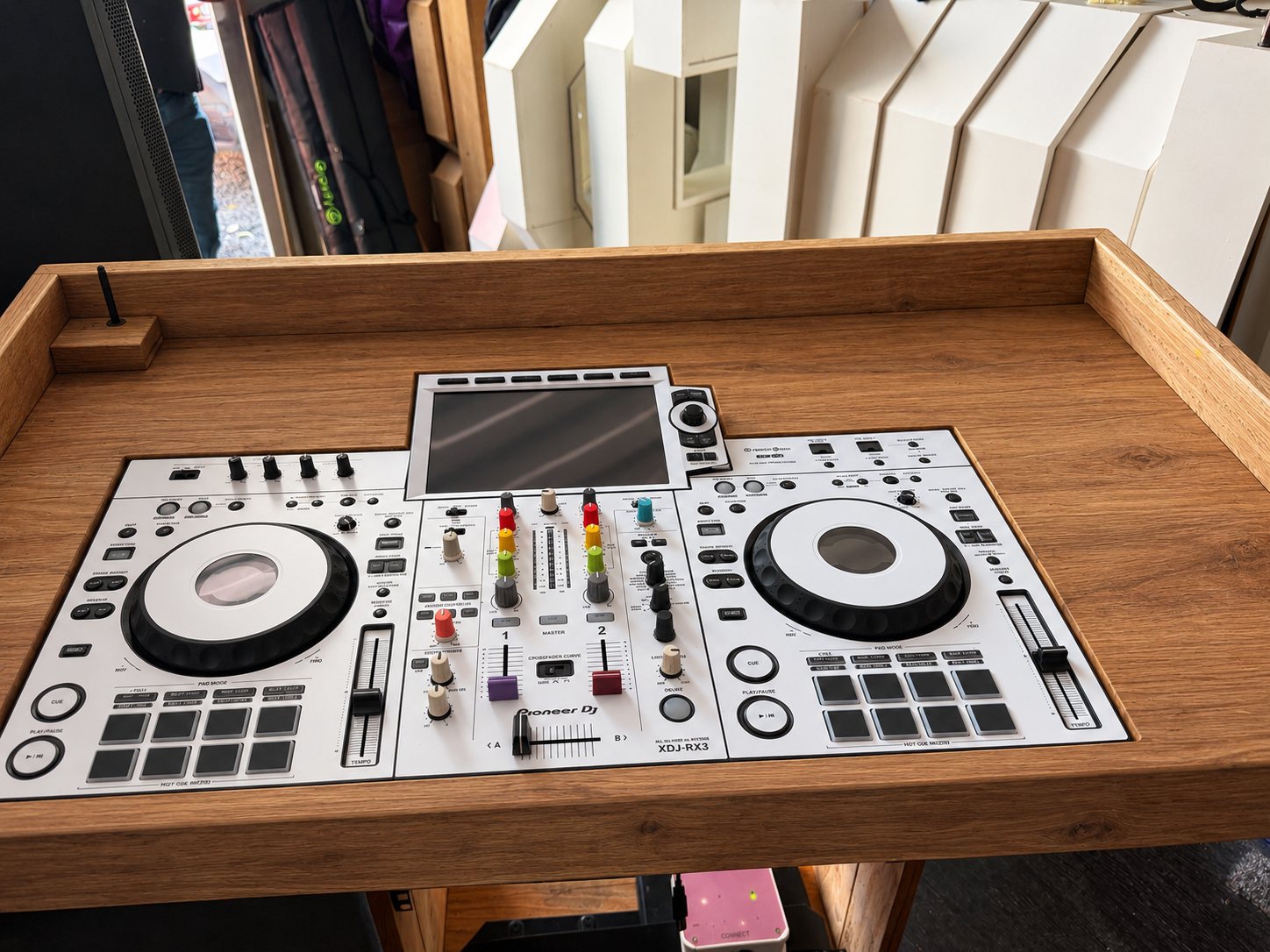
Pioneer XDJ-RX3 Review After 3 Years | PLM Entertainments
After three years using the Pioneer DJ XDJ-RX3, we share our honest review of this professional all-in-one DJ system. From its touchscreen and rekordbox workflow to its limitations with standalone music streaming, discover why it remains a strong choice for mobile DJs, plus our pro tips for running
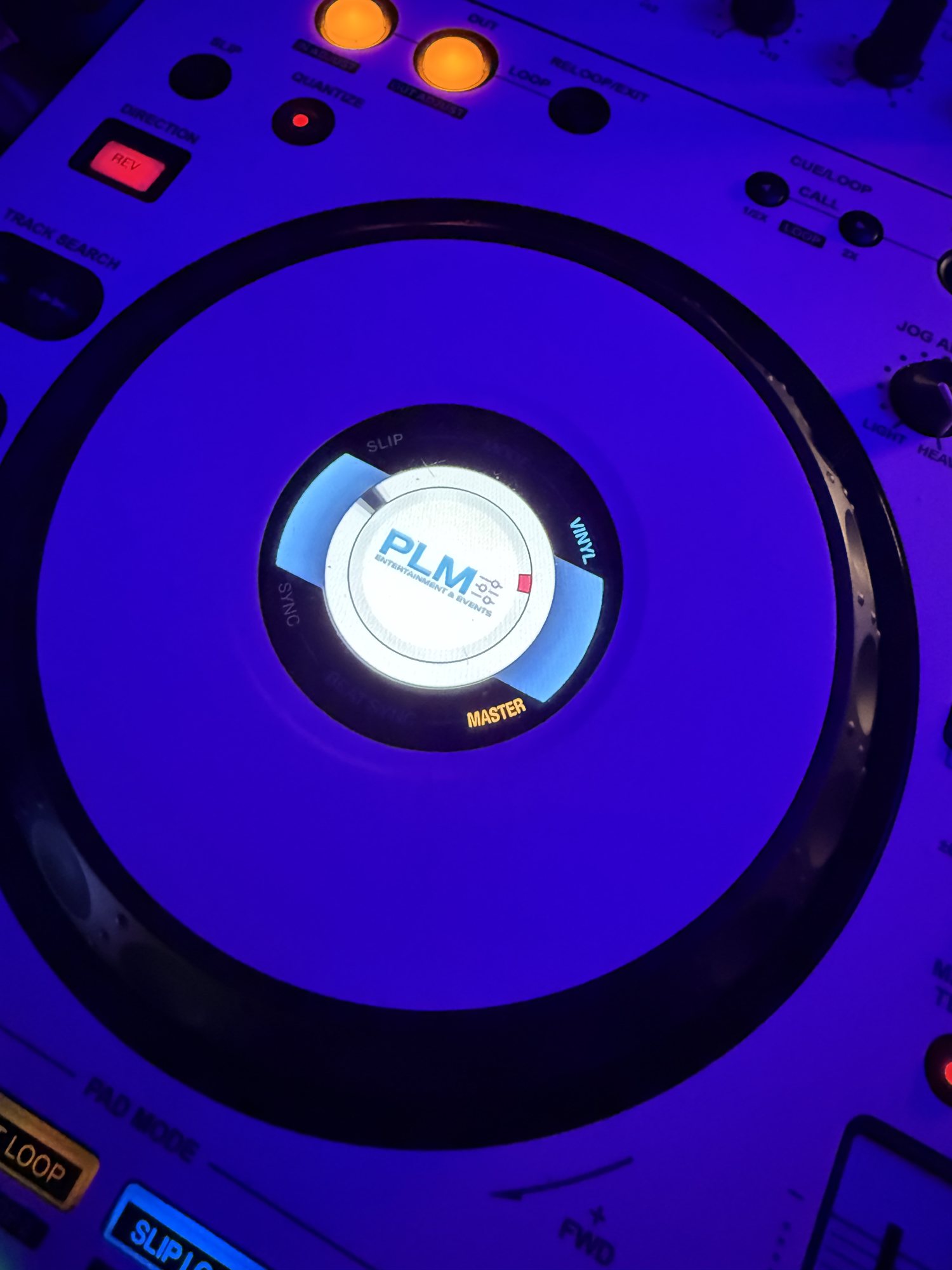
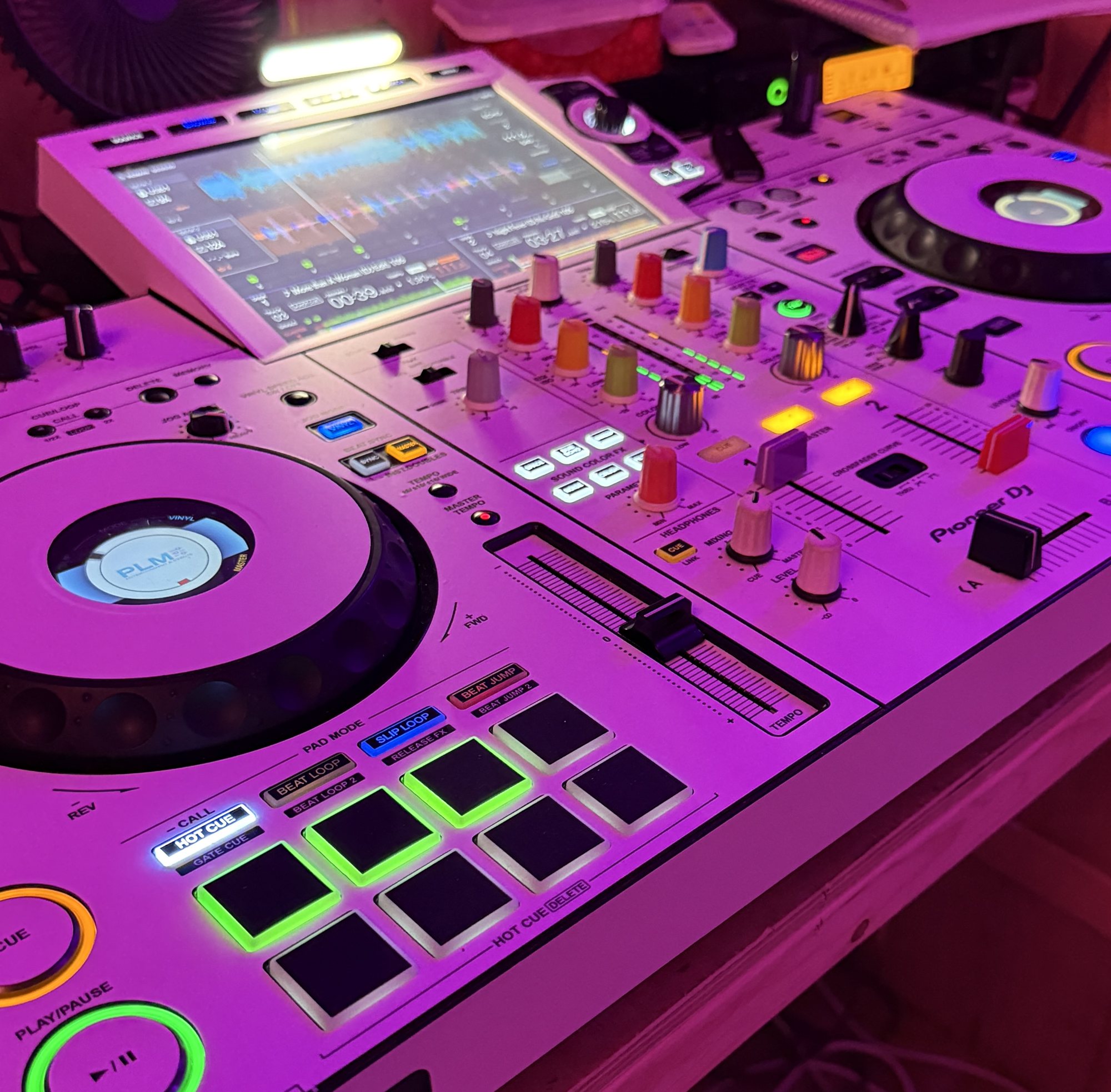
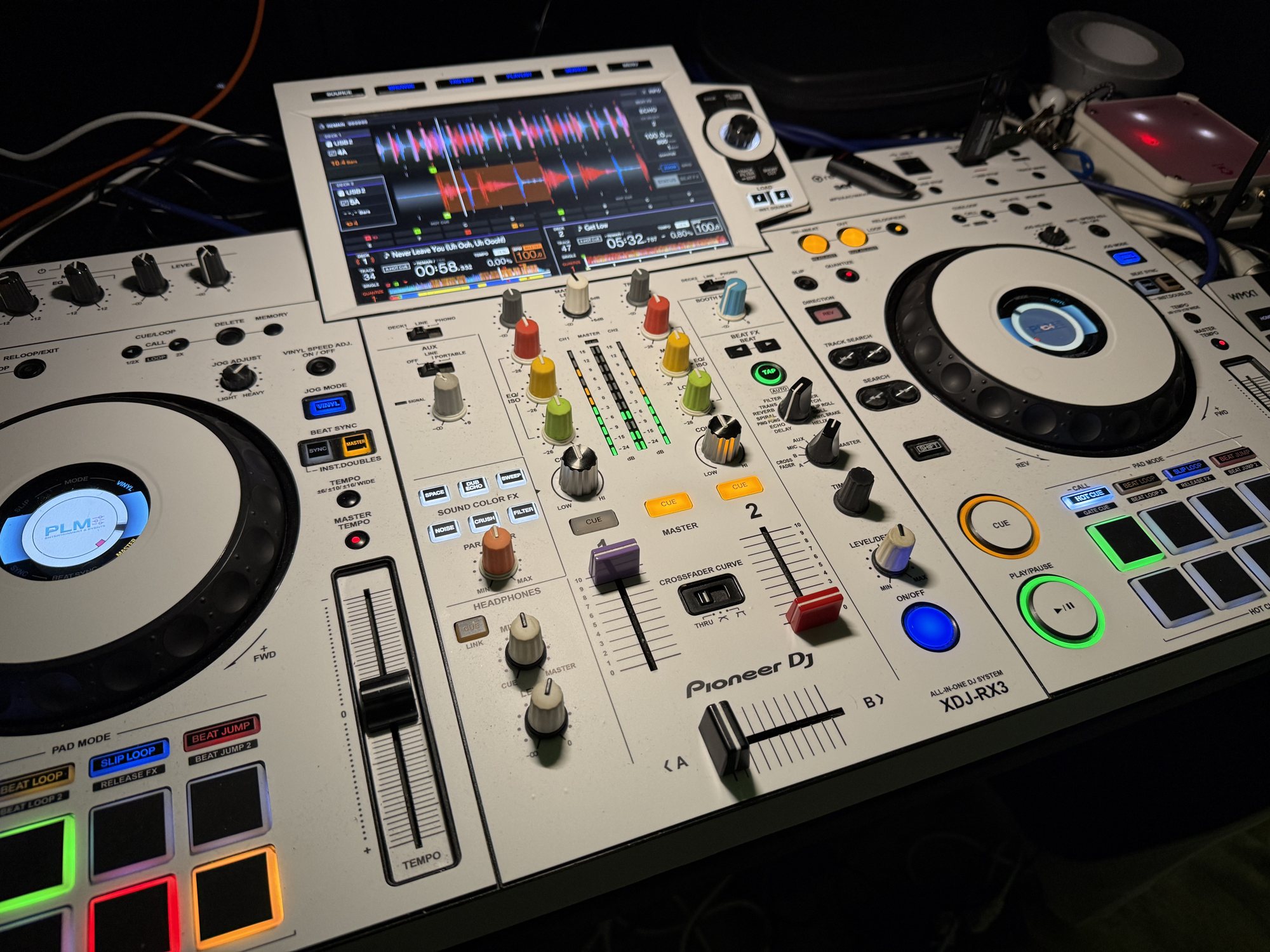
Pioneer XDJ-RX3 Review: Three Years of Real-World DJ Use Is the Pioneer DJ XDJ-RX3 worth the investment? After three years using this system, we share our experience, the features we love, the limitations to consider and a few practical tips for mobile DJs. When you’re working as a professional DJ, your equipment needs to do more than look impressive. It needs to perform consistently, be easy to use and adapt to the different demands of weddings, birthdays, corporate events and private parties. At PLM Entertainments & Events, we’ve been using the Pioneer DJ XDJ-RX3 for three years, and during that time, we’ve come to appreciate what this all-in-one system offers. It’s become an important part of our working setup, providing a familiar club-style layout in a package that suits professional mobile DJ work. However, no piece of equipment is perfect. There are a few things potential buyers should understand before investing, particularly if you’re expecting a completely standalone system that handles every possible requirement. Here’s our honest assessment. 1. Build quality and layout The XDJ-RX3 has a professional layout inspired by Pioneer DJ’s club-standard equipment. With two decks, a central mixer section and dedicated controls, the learning curve is relatively straightforward for DJs familiar with the Pioneer ecosystem. The layout feels logical, with the controls you need for everyday mixing readily accessible. The jog wheels offer adjustable resistance, and the performance pads provide quick access to hot cues and other supported functions. For mobile DJs, having everything integrated into one unit is a major advantage. There’s less separate hardware to connect, fewer individual components to transport and a cleaner working environment. After three years, the most important consideration for us is that the system continues to form part of our professional workflow. Equipment needs to earn its place in the van, and the RX3 has done that for us. 2. The touchscreen and rekordbox workflow One of the standout features is the 10.1-inch touchscreen. Browsing music, navigating playlists and checking track information is much easier when you have a large, clear display in front of you. It helps maintain the flow of a set, particularly when you’re moving between genres or responding to requests. The RX3 integrates with rekordbox, allowing you to prepare your music library in advance, organise playlists, analyse tracks and set cue points before exporting your collection to a compatible USB drive. Once your music is prepared, you can perform directly from USB without needing a laptop connected throughout your set. For wedding DJs, this is particularly useful. One minute you might be playing classic soul, the next you’re moving into 1990s dance, followed by modern chart music. Being able to navigate your library efficiently makes a genuine difference. Our verdict: The touchscreen and standalone USB workflow are among the strongest reasons to consider the RX3. 3. Mixing performance and effects The RX3 provides a two-channel mixer with three-band EQ, channel faders, a crossfader, performance pads and a comprehensive selection of effects. The Beat FX and Sound Color FX give you creative options for transitions, while the jog wheels and familiar control layout make manual adjustments feel natural. Our philosophy is simple: effects should complement the music rather than become the main attraction. A well-timed echo, filter or reverb can improve a transition, but good programming and understanding your audience will always matter more. For mobile DJs, the RX3 provides more than enough creative flexibility for most wedding and party sets. 4. The important limitation: music streaming There is one limitation worth highlighting, particularly for DJs considering moving away from a laptop-based setup. The XDJ-RX3 does not provide native, standalone music-streaming functionality. Although you can prepare music in rekordbox and perform from USB, you cannot simply rely on the RX3 itself to access an online streaming catalogue independently. If your workflow depends on a supported streaming service, you need a compatible laptop connected to the system and the appropriate software and subscription. This is worth considering if you regularly receive requests for tracks that aren’t already in your collection. For our own work, we recommend maintaining a properly prepared USB library rather than relying entirely on an internet connection. Venue Wi-Fi and mobile data aren’t always dependable, and you don’t want connectivity problems disrupting an important moment at an event. Streaming can be a useful addition, but it should form part of a sensible backup strategy rather than replace good preparation. 5. A great bonus use: running karaoke One of the useful ways to expand the RX3 setup is to incorporate a laptop and external monitor for karaoke. For mobile DJs who already offer karaoke alongside their DJ services, this can be a practical way to run both services without needing an entirely separate DJ system. Our recommended karaoke setup * Connect your laptop to the RX3 as required for your chosen karaoke and audio workflow. * Connect the laptop’s HDMI output to a suitable television or monitor so singers can read the lyrics. * Use a compatible karaoke service with a video subscription that provides the licensed tracks and on-screen lyrics you need. * Route the karaoke audio through the appropriate audio input or supported computer-audio setup, depending on your configuration. * Connect your karaoke microphone to a suitable mixer channel or compatible microphone input. The HDMI connection carries the video and audio signal from the laptop, but you may need to select the correct audio output or route the sound separately to the RX3. Check your laptop’s output settings and the RX3’s supported connections before the event. This arrangement gives you a dedicated lyrics display for your singers while keeping your DJ equipment at the centre of the audio setup. Always check that your karaoke subscription covers the tracks, video features and type of public performance you intend to offer. 6. Pro tip: improve karaoke vocals with microphone reverb Here’s a little tip that can make a noticeable difference when running karaoke. Use the RX3’s microphone reverb effect to give singers a fuller, more polished vocal sound. A completely dry microphone can sound harsh or unforgiving, especially for people who don’t regularly sing in front of an audience. A touch of reverb adds a sense of space and can help vocals sit more naturally in the room. Start with a modest amount and adjust to suit the singer, microphone and venue. Too much reverb can muddy the words and make vocals harder to understand, particularly in a reflective room. The aim is to enhance the experience without making the lyrics or vocals difficult to hear. As always, check the RX3’s microphone controls and effect routing for your particular configuration, and soundcheck before guests arrive. It’s a small adjustment, but these little details can help elevate a standard karaoke session into a more enjoyable experience. 7. Is it suitable for professional mobile DJs? For our work at PLM Entertainments & Events, the RX3 offers a practical balance of functionality, portability and performance. We need equipment that can handle a range of events without making setup unnecessarily complicated. Weddings demand flexibility, birthdays can involve very different musical tastes, and corporate events may require a more controlled approach. The RX3 can accommodate these different environments while providing a familiar interface and a clean, integrated setup. It also works well alongside a professional sound system and lighting rig, leaving you free to concentrate on the wider presentation of your event. Of course, the RX3 is only one part of the complete setup. Speakers, microphones, cables, lighting, backup media and transport protection all matter. 8. The downsides After three years of using this system, here are the main points we would encourage prospective buyers to consider. Price: It’s a serious investment, and occasional DJs may not need all the functionality it offers. Two-channel limitation: Two channels are suitable for many mobile DJs, but more complex setups may require a four-channel mixer or another system. No native standalone streaming: If you rely on streaming services, you’ll need a compatible connected laptop and supported software. Transport and protection: It’s an integrated system, but it still needs careful handling and a suitable protective case for mobile work. Preparation remains essential: A well-organised USB library and reliable backup plan are still fundamental to professional DJing. None of these points automatically rules the RX3 out. They simply help establish whether it’s the right tool for your particular business. Our final verdict: three years later After three years with the Pioneer DJ XDJ-RX3, we continue to see the appeal of a system that brings together standalone USB playback, a large touchscreen, familiar mixing controls and useful performance effects. It isn’t perfect, and the absence of native standalone streaming is something buyers should understand before committing. However, for DJs who prepare their music properly and want a professional two-channel all-in-one system, it remains a strong option. The ability to incorporate a laptop and monitor for karaoke also gives mobile DJs additional flexibility, while a carefully adjusted microphone reverb effect can help improve the experience for singers. Ultimately, the best equipment is the equipment that supports the service you deliver. Three years into ownership, the RX3 remains part of our approach to professional events at PLM Entertainments & Events. Would we recommend it? Yes — for the right DJ, with the right expectations. At PLM, we believe the equipment matters, but the person behind it matters more. Good music selection, preparation, experience and reading the crowd are what turn a collection of tracks into a memorable event. PLM Entertainments & Events — Integrity, Honesty, Passion.
Discover the PLM Signature Rustic wedding DJ experience at voco St David’s Cardiff, featuring our bespoke booth, Ape Labs lighting, illuminated letters and rustic audio guestbook.
Discover the story behind our brand-new rustic DJ podium booth, proudly designed by PLM Entertainments & Events and brought to life by a talented local carpenter. A bespoke creation combining craftsmanship, style and the next chapter of our Signature experience.
Discover why we’ve invested in Ape Labs lighting for our PLM Signature shows. From rich colours and elegant uplighting to dynamic effects that transform a room, Ape Labs helps us create a premium atmosphere where every detail matters.